Disk cache on virtual machine (KVM/Proxmox)
Some theoretical stuff about different caching for virtual drives:
KVM (and by extension Proxmox, which uses KVM) offers several disk cache modes that control how I/O operations are handled between the guest VM, the host’s page cache, and the underlying storage. There are different modes to choose from:
none – Bypasses the host’s page cache entirely using O_DIRECT. Data goes directly to/from the storage device. Best for files on raw block devices, ZFS, Ceph, or when the guest has its own caching. Recommended for production. Pros: Low host memory usage, data integrity preserved.
writeback – Uses the host’s page cache for both reads and writes. The guest’s flush commands are passed to the host, which then syncs data to disk. Good when you want caching but still need data safety (e.g., local file-based images like qcow2). Good performance with reasonable safety.
writethrough – Reads are cached in host memory, but writes go directly to disk immediately (no write caching). When read performance matters but you need guaranteed write persistence. Very safe; data is always on disk after a write returns. Slower write performance.
directsync – Like none (bypasses host cache) but also forces synchronous writes—every write waits until data hits the physical disk. Maximum data safety requirements. Slowest option due to no caching and forced sync.
unsafe – Uses host page cache but ignores guest flush/sync requests. Data may stay in RAM indefinitely. Only for throwaway VMs, testing, or when you don’t care about data loss (e.g., during OS installation for speed). Data corruption is likely on power loss or host crash.
Real world case
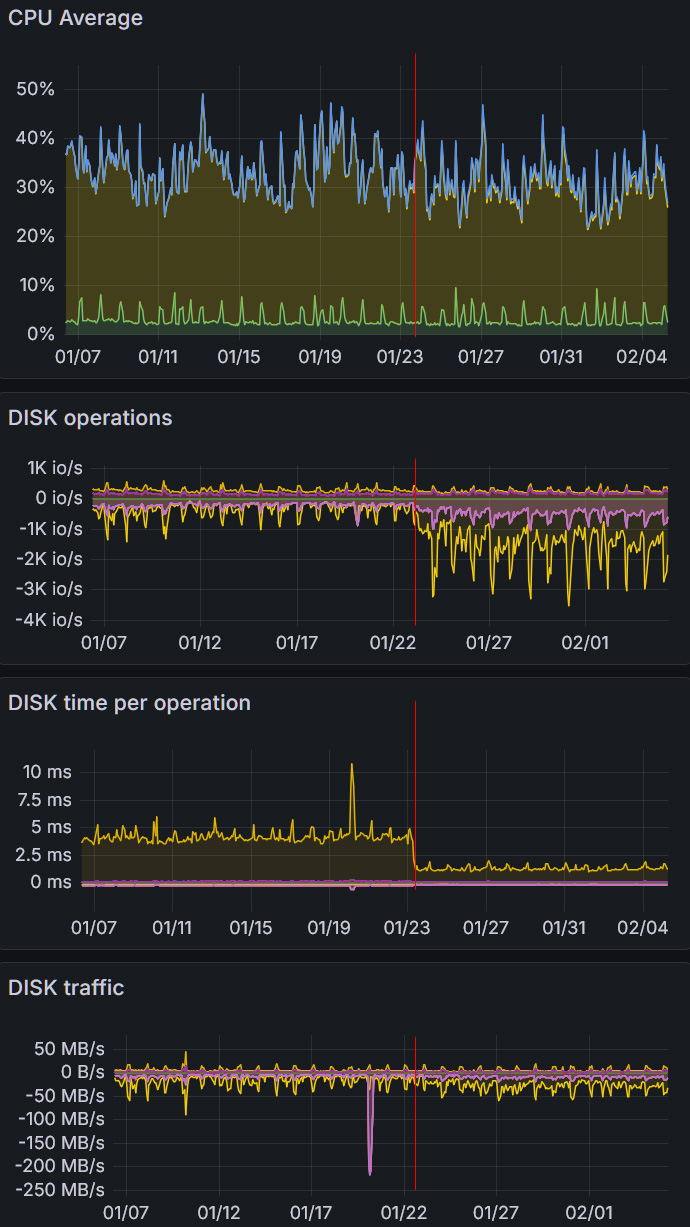
We have been using “writethrough” for a good amount of time. As an experiment – we changed from “writethrough” to “none” and here are timings of how this changed our host and virtual machine performance. Virtual machine is Almalinux with cPanel and approximately 500 accounts on it.
KVM host graphs
Virtual machine graphs
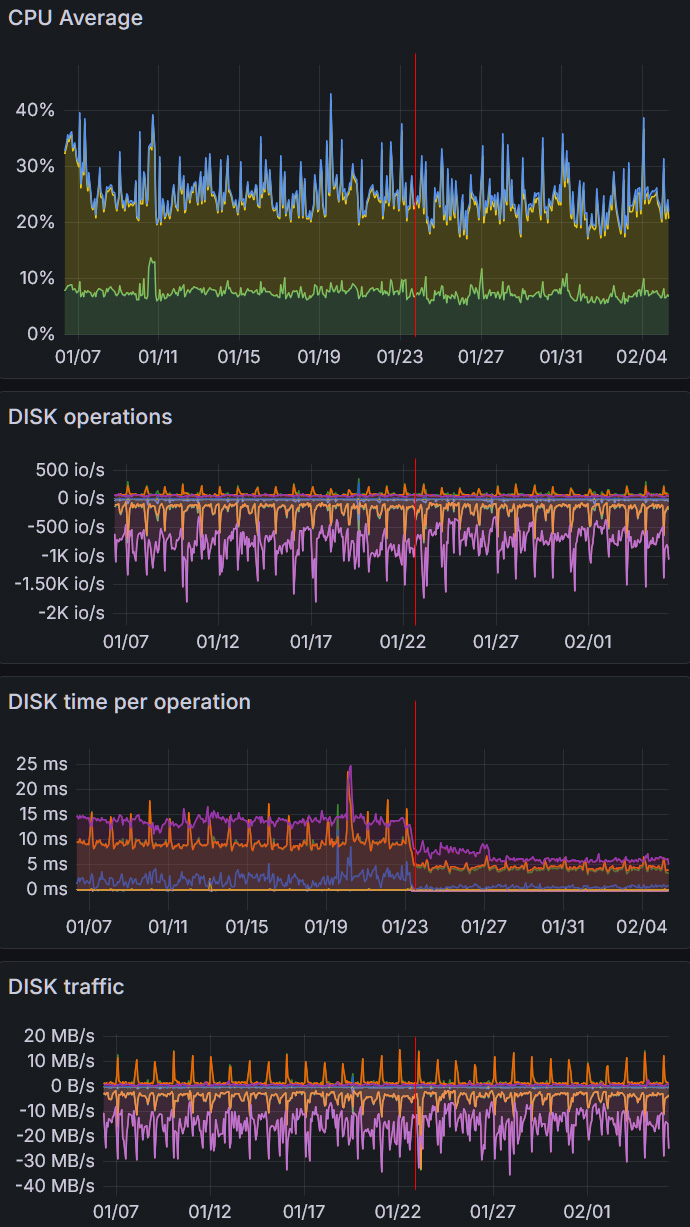
It was interesting to see, how much disk time per operation has dropped both on host and VM. You can see, that CPU usage has not changed. And number of disk IO has changed a lot on host, but not on VM. That means – all those operations were done through host cache.
Drop in disk time means, that doing direct reading is faster, than doing it through cache , which in my opinion indicates, that host RAM is slow. And indeed – host is a desktop-like server with just DualChannel memory, which can be filled up with data and operations quite quickly. And therefore we have switched our servers to use no cache for disks and free up memory for real CPU intensive tasks.